Welcome to my blog!

Hi welcome to my blog. This blog is not just an ordinary blog site where in you post and share certain experiences about yourself, this blog contains and will contain about my experiences and adventures in taking up the course BS Information Technology with Specialization in Game Design and Development. Just check out my Blog Archive to choose what part of my portfolio you want to view/see my beloved visitor. Enjoy!

Sunday, September 2, 2012

COMGRAPH - Computer Graphics Compilation

COMGRAPH Subject
In this subject, we were taught how to use Photoshop and create something artistic designs on it.

What we usually do in this subject is first practice and teach us techniques in Photoshop CS5, and apply those skills and making some web banners, screenshot of our game etc. and the Theme is Zombie VS Robots. :)


The images you will see below were all made in Photoshop CS5.

Web Banner 1

Web Banner 2

Web Banner 3

Web Banners 1-3:  Well here, we  are task to do 3 web banners for our game Zombie VS. Robots. Zombie and robot image got it from the internet(google images) so I dont own those.


DVD Game cover
 DVD Game Cover: Literally all the images were from the google images so the design and arrangement were made by me :)


Game Screenshot
Game Screenshot: We are task to do like a screenshot of our game so there. Image of the zombie with a chainsaw came from google images. :)


Welcome Screen
 Welcome Screen: We are task to make a welcome screen of our game. The hunter zombie image is from the internet and the robot overlay on the zombie is also from the internet.


Robots 1
Robots 2


 ROBOT 1:  We are task to do our own robots given the parts by our professor. Using those 7 parts we will create robots out of those parts.
ROBOT 2: We are task to do our own robots using our own made parts.
Image 1

Image 2

Image 3

Image 4
 IMAGE 1-4: We are task to make a Game Menu using Layer Comp in Photoshop CS5, so those are in sequence. Image 1 shows the player choose or highlight the healing potion then decided to get 5 potions. Image 2, the player highlight the armor(silk cloth) but then it was sold out. Image , the player opened his/her rucksack then lastly, image 4. the player press escape or any exit button so a box appeared whether the player will decide to leave the shop or not.


BASPRO2 - Basic Programming 2 Compilation

Basic Programming 2 Subject


Here are some of the programs we've programmed in this subject which includes project and assignments.

Image 1 and 2: It is a group project. This is a screenshot of our game for our final project. We are given a task to do such Crane game using Visual Studio and our program codes should include  recursion, class, queues, stacks and many more not only basic and simple programming codes.
Image 1

Image 2

Image 3
 Image3: one of my assignments is Baspro2, by giving some buttons the player can make a combo and give a desired power or strength for his combo. Function and loops were used for the program :)


Image 4
Image 4: the program will ask for any number and it will print a pretty pattern. The pattern used is the famous number pattern, Fibonacci. :)


Image 5
Image 5: In here, we are task to do a program that will ask a user for a number to build a pretty and colored graphical pattern.


Image 6
 Image 6: Again, we are task to make a program that will ask a user for a number and her desired color to show a pretty and colored graphical pattern. :)


Image 7

Image 7: We are task to make a program, Mystical Bag, which will ask a user to add any item/s, remove item/s, show the item/s and of course close his/her mystical bag. In this program, there is already a default item which is the healing potion.


Image 8
Image 8: We are task to do a program where in we can make or create our own creature/s, remove them, show all of the creatures made, sort them by power or life points.

FREEHAND Subject - Compilation

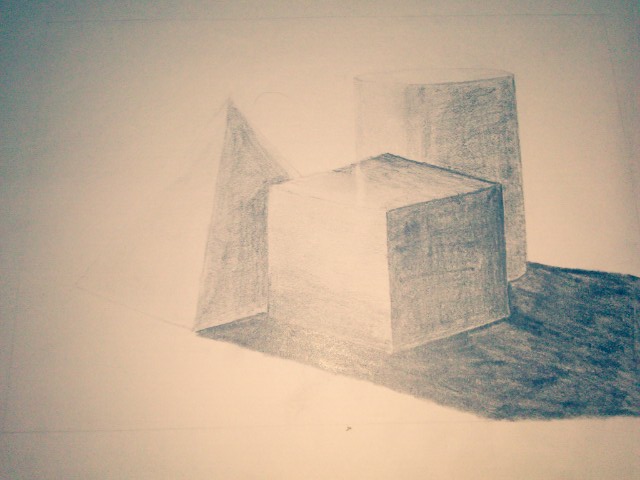
           This subject is very helpful when it comes in drawing without any using measuring materials all the way freehand drawing! At first it's quite difficult but yes I survived this one. So we study lots of techniques here like gestural drawing. contour drawing and many more.


This subject can really help me in the future whether I choose to be a programmer or game designer, but whether I choose between those two, still I gonna practice my freehand skills and improve them because I believe that if I become a game programmer I can still design, and if I become a game designer, I can still program :)


Here are the complete drawing plates for my FREEHAND subject:


Image 1: Get Acquainted, our first activity, well we gonna tell something about ourselves in this activity, sorry for the poor drawing skills ;)

Image 1


Image 2 and 3: Basic line strokes :)

Image 2

Image 3


Image 4: This was really drawn in this way, this image is based on Pablo Picasso's artwork.
Image 4

Image 5: Our task here is we should draw our cellular phone and we have only few minutes to do this. :)
Image 5

Image 6

Image 7

Image 8: Contour drawing

Image 8

Image 9

Image 10

Image 11

Image 12

Image 13


Image 14

Image 15-17: These drawings were really drawn in a big paper(cartolina), so what you can see on those images is that they were taken from a camera then print it then was taken again in a camera :)

Image 15
Image 15


Image 16


Image 17


Image 18 and 19: Here, we were thought of how to draw hand and foot in a proper way, so there were sequence of how to these.
Image 18
Image 19

COLREND(Color Rendering) Compilation

              COLREND subject, an art subject during my first year college days, third term. What we do here is to practice our skills in applying proper color and shading to an object. Also we practice here to proper way of blending some colors. We've use materials such as drawing pad, drawing pencils/pens, acrylic paints, water color,  canvass, oil pastel and sand paper(for only 1 plate). 

Here are all the plates I've made in this subject in random order:


Image 1-4: This art of mine is drawn and colored using pencils and oil pastel:

Image 1

Image 2

Image 3
Image 4


Image 5 and 6: First two plates I've made in this subject proper application of shading should be implemented :)

Image 5

Image 6


Image 7: Implementing shading techniques with the use of color pencils.
Image 7

Image 8 and 9: Implementing proper shading and blending of color using water color.
Image 8

Image 9
 Image 10: During elementary days, I think almost everyone have tried doing this. Here, basic coloring crayons were used, color the background first then apply it with pure black then start making some art(using pen with no ink or barbecue sticks ) and those colors hidden in the black ones will be revealed.
Image 10


Image 11: Drawn this on a sand paper using color pastels
Image 11


Image 12 and 13: Drawn in canvass using acrylic paints.
Figure 12: Theme: Slums


Image 13